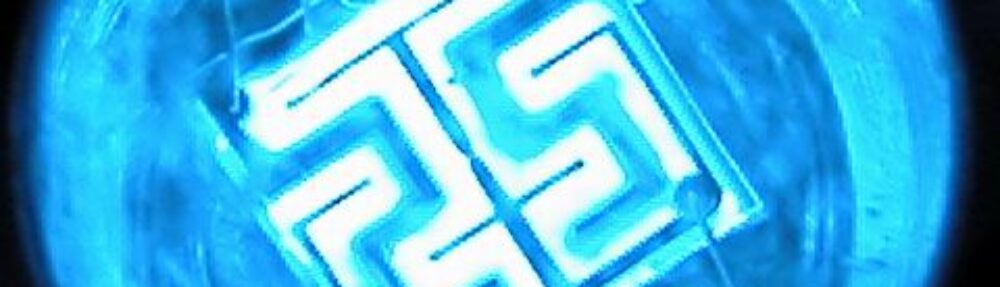
Socketed Piranha

Here’s a request from my buddy Linear:

Wondering aloud, would it be possilbe to socket those LEDs so you could reconfigure the array later? (any thoughts, JustDIY?)

The quote came from a longer thread, where the led being discussed is the high-flux “piranha” package. Well, he must have me pegged as some sort of piranha expert 😛

So I pulled out a few leds, and some different sockets. Here is what I came up with:

piranha led socket

The black strips are Molex C-Grid board to board connectors … the mating board would have pin headers on it, and the two shall mate. But, they also work decently well for holding other things, sorta like a breadboard does.

Depending on how you wire the pins underneath, the headers accept the LED in either orientation (piranha have two pins for each cathode and anode, which are connected inside the package)

piranha led socket

I also tried other cheaper and easier to find sockets, like machined pin and standard spring … they just don’t line up with the piranha’s leads.

Phase Two Update

Only had a few hours to work on the project today, but I didn’t let that slow me down.

I revised the interface for setting the date, it now works like the channel namer, opposed to how it worked before.

Before:

User could move the cursor left and right, and had to press a third button to select which value to edit, then the user could increase/decrease the value and press the third button to save the new value.

After:

User can only move the cursor from left to right, wrapping at the far-right to the far-left… this is using button 3… Buttons 1 and 2 increase/decrease the value under the cursor, saving it each time.

Added a new ‘screen’ to the display, it cycles through the temperature channels individually now, displaying their names.

Added a new interface for enabling and disabling channels. This effects which channels are displayed by the above mentioned screen.

The code now supports up to ten channels.

I found the source of the intermittent temperature readings by examining the recommended circuit versus what I had built. Maxim recommends a 200 ohm resistor to be placed in series with VCC for the MAX1668 … so, after doing that – no more random drop outs … weird eh?

I also discovered, when writing a rapid fire string of bytes to the eeprom, it likes you to wait ~10ms after each byte … which is mentioned in the eeprom datasheet, but I keep forgetting that.

FavIcon.ICO

Well, I’ve been noticing a LOT of 404’s regarding favicon.ico in the logs … so I made up an empty bitmap, and stuck it on the server root.

That took care of the errors. Then I got curious about what favicon.ico was for … turns out it’s the little widget that’s displayed on the url bar and when you save a bookmark.

The canvas size? A whopping 16×16 pixels… I’m no artist, so I just put a red J with a drop shadow for now… I’m sure I can think up something better down the road

Enjoy!

Phase Two Continues

Well, aside from household chores, normal human interactions, eating, and what-not… I spent the weekend working on my MAX1668 temperature probe project.

  • More or less finished the “clock” portion of the display.
  • Integerated the clock porition with the temp probe code, so the display alternates between the two now.
  • Written an Interface for naming the temperature probe channels.

time display real time clock ds1307

Check out the updated writeup:

MAX1668 Phase2